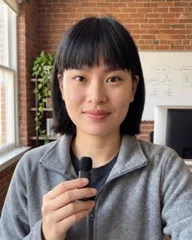
MinaAI presenter · concept
New on our Model APIs today: Reflection's Beam.
Input: launch post — Beam-1.0 available on Baseten
Loading sound…
AI video for LinkedIn
Free to start. You see the price before anything is made.
One photo and 30 seconds of your voice make your AI twin. Tell Maya, your video assistant, what to say. She plans the video, shows the price, and makes it when you say OK.
Concept examples
A launch post, one typed sentence, a sell sheet, a news-desk note, an event email, a broker bulletin.
Concept examples, made by Gemelo's AI agents. Real company names and logos are shown only to illustrate how people in those jobs could use Gemelo. None of these companies is a Gemelo customer or made, reviewed or endorsed these videos. Every presenter is an AI presenter.
Today Gemelo's motion graphics are headlines, numbers, lists, before-and-after and diagrams, built from the words in your video, with your brand colour as the accent, on paid plans. Logos, brand type and the richer graphics shown here are a design preview.
New on our Model APIs today: Reflection's Beam.
Input: launch post — Beam-1.0 available on Baseten
Concept: how a Baseten developer advocate could use Gemelo. Not made by, affiliated with or endorsed by Baseten.
Baseten name and logo are trademarks of their owner, used here only to show the idea. AI presenter; the script and inputs are illustrative.
Make your twin →Pipe-freeze season. Here's your first hour if a pipe bursts.
Input: 'Make a 15-second burst-pipe checklist for my clients, with motion graphics.'
Example: a made-up insurance brand. AI presenter; the company and story are invented.
Make your twin →Quick one for my store and gym buyers.
Input: Sparkling Protein Soda — sell sheet.pdf
Concept: how a Premier Protein sales rep could use Gemelo. Not made by, affiliated with or endorsed by Premier Protein.
Premier Protein® logo and design is a registered trademark of Premier Nutrition Company, LLC. Used here only to show the idea. AI presenter; the script and inputs are illustrative.
Make your twin →East side coat swap this Saturday. Here's what to know.
Input: news-desk note (pasted)
Example: a fictional Detroit TV station and a fictional story. AI presenter. Not real news.
Make your twin →To: OR team. Thursday's in-service, in 18 seconds.
Input: event email (pasted)
Example: a made-up medical-device brand. AI presenter; the company and story are invented.
Make your twin →This week's broker update: two changes to the checklist.
Input: Broker bulletin — this week.pdf
Example: a made-up mortgage brand. AI presenter; the company and story are invented.
Make your twin →Yours, next.
One photo and 30 seconds of your voice. Then tell Maya what to say.
Make your twinSee the price before anything is made.Motion graphics
Maya, your Gemelo agent, plans the motion graphics for each video. She picks the moments and designs the graphics around what you say, in your brand colour: headlines, numbers that count up, lists, before-and-after, step-by-step diagrams. You see them first and approve. Motion graphics: on every paid plan, priced by length.
Inputs
The plan for this example
With Review first on, nothing is made until you approve.
Output
Made from: Beam-1.0 available on Baseten, October 16, 2026
Motion graphics · Paid plansConcept: how a Baseten developer advocate could use Gemelo. Not made by, affiliated with or endorsed by Baseten.
Baseten name and logo are trademarks of their owner, used here only to show the idea. AI presenter; the script and inputs are illustrative.
Motion graphics come with every paid plan, priced by length. Nothing is made without your OK, or a cap you set.
The problem
The buyers you want, the talent you're hiring, the audience you're building — they all live in the feed now, and the feed is video. Showing up on camera isn't optional anymore. And nobody has the hours.
Every founder, salesperson and operator is expected on video. It doesn't stop.
Filming, retakes, captions, thumbnails, exports. One 30-second clip eats a morning.
The week you get slammed is the week your feed goes quiet. Exactly when it should get louder.
You need something that looks and sounds like you — and that waits for your OK.
How it works
Upload a photo or take a selfie, tick the consent box with your name, and meet your twin. Your first studio photo — a real-looking talking-head shot — is free.
Record a short sample and your twin speaks in a clone of your own voice (your first clone is free), or pick a ready-made voice.
Maya, your agent, writes the script, reads it in your voice and prepares the take. Or write every word yourself — it says them word for word.
The price is on the button before anything is made. Approve, and your video is made, captioned and labelled AI-generated. If a run fails, the credits come back.
It plans. You approve. It's made.
See the price before anything is made.
See the product
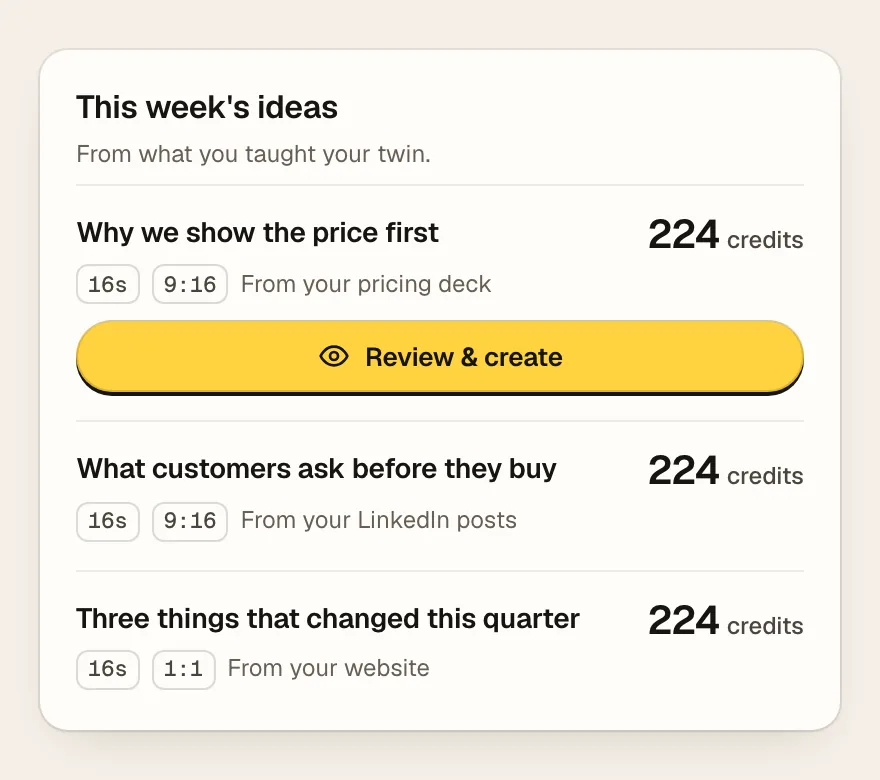
Docs, your site, your posts. Ideas every week.
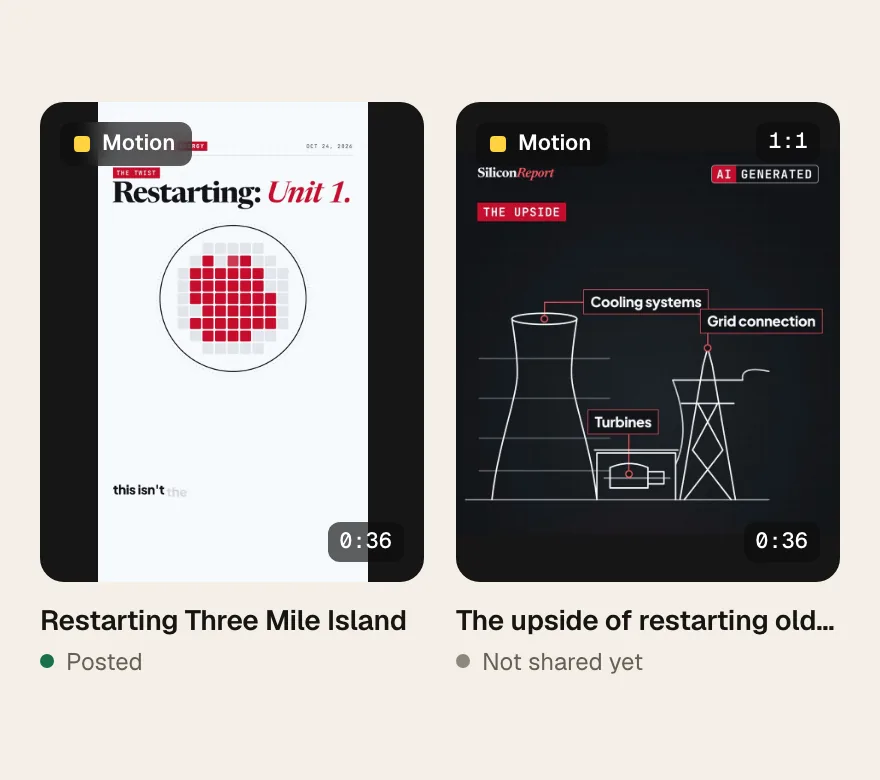
Matte, timecode, Motion tag. Labelled AI-generated.
The interface is shown with example content. The example films are Silicon Report explainers; motion graphics come with every paid plan.
Same take, more looks
Motion graphics are drawn on top of your take. Maya plans them around what you say, in your brand colour and look; you see them first and approve. Motion graphics: on every paid plan, priced by length.
Example: the same take with motion graphics, made by Gemelo's AI agents. In your videos, Maya plans them around what you say, in your brand colour and look. Motion graphics: on every paid plan, approved separately after the video.
Grounded in you
Teach it with your docs, your website, YouTube links and your LinkedIn posts. Ask it what it knows, correct what it remembers, and get video ideas every week from your own material.
Upload a PDF or a doc, add your website or a YouTube link. Your twin talks about your work in your words.
Import your LinkedIn posts so scripts sound like the way you already write.
Every week, video ideas drawn from what you've taught it. Pick one, see the price, approve.
You are always the last click
Read the script and watch the take before it goes anywhere.
Seconds × rate, on the button, before anything is made.
Nothing is made without your OK, or a cap you set. Turn on Auto only if you want it.
If a video fails, you're not charged.
Every video says so, on screen.
FAQ
No. Start from a photo of you and a short recording of your voice.
Yes — your twin speaks in a clone of your own voice (your first voice clone is free; more voices come with a plan).
Yes. Change the words, the look, the style or the captions in Video Studio, or ask the agent to.
Yes. Videos are labelled AI-generated, on screen.
You pay by the second — 14 credits a second. The price is on the button before you make anything. Plans from $29.99 a month; you start with 15 free credits.
Only if you turn on Auto and set a cap per video.
Make your AI twin from one photo. Type an idea. See the price. Approve.
15 free credits and your first studio photo on us. No card to start.